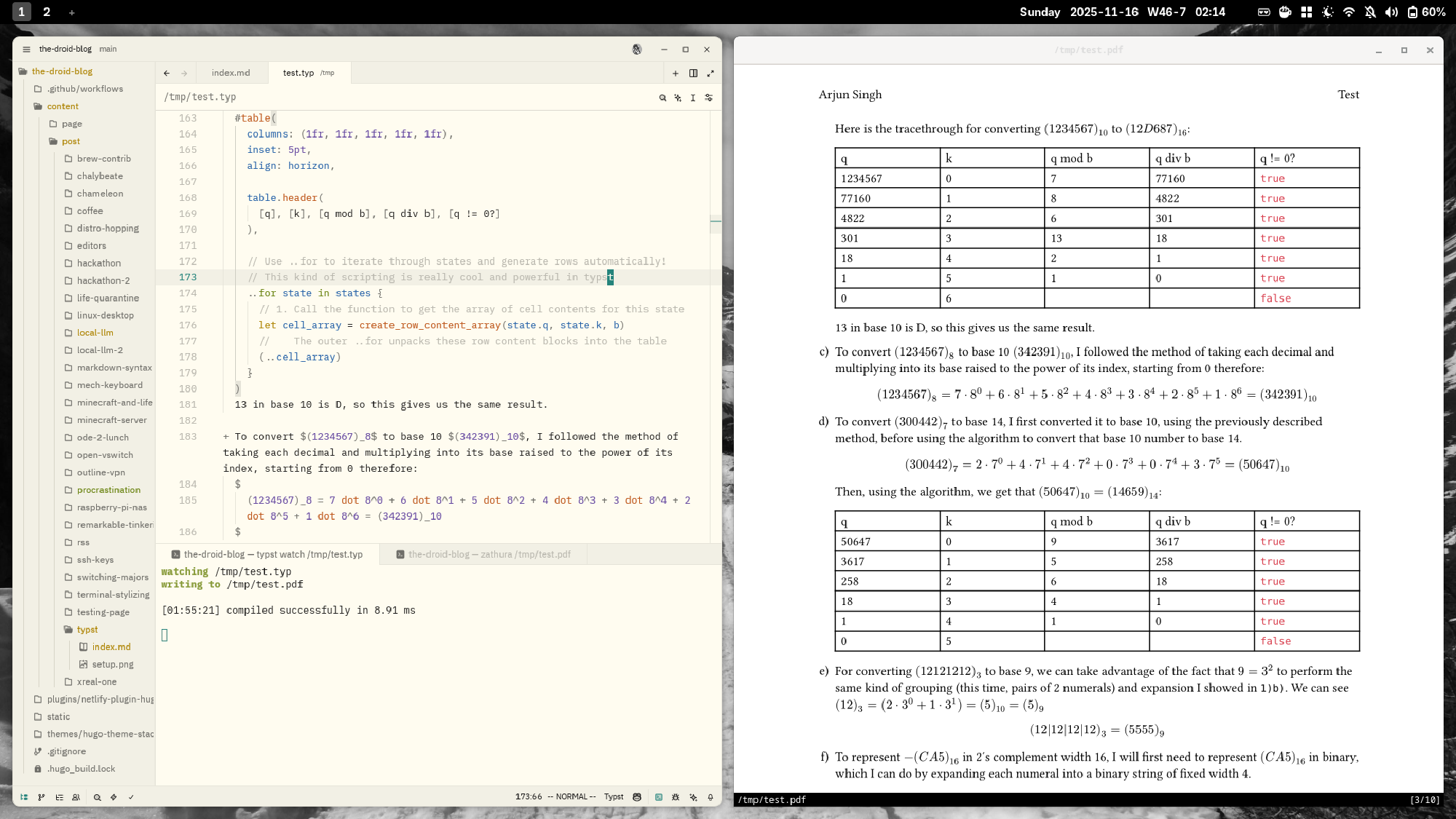
For a few years now, I’ve been a vocal advocate of using the typst typesetting system, a toolchain that revolves around the fully open-source typst compiler.
The joys of typesetting
If you haven’t yet discovered the joys of typesetting, I must say that typst is a most delightful introduction. That is really the best way for me to describe the experience of typesetting: joyous and delightful.
In high school and now university, I’ve made extensive use of typst to ensure a modicum of aesthetics in the presentation of my coursework. I could have done what my peers did, and use Docs, or god-forbid Word to complete the tasks. I probably would have procrastinated less. But every time I type typst into my terminal, I feel a lot more enthusiastic about whatever I’m working on, whether it be an essay, a problem set, or even an email attachment.
Have you ever felt frustration at Microsoft or Google for the clunky interfaces and occasionally erratic behaviour of Word and Docs? The main advocates for typesetting focus on the flexibility with which one can show equations as compared to the less elegant equation editors of many document suites. However, there is also an argument for having a deterministic workflow.
Working on a document, there may be many moments where you’re left shaking your fist at the screen. When you try to get the positioning of an image or table just right, only for it to be ruined because you wanted to change the phrasing of one of your sentences. Maybe you have a lot of tables of increasingly processed data, only to realise that you copied one of the values wrong and now have to edit them all over again. Or perhaps you’re not as sufficiently plagued as I can be sometimes in an obsession over minutae. Still, you might appreciate a faster way to type up pretty documents and equations!
Why typst
If you’re already a convert to the benefits of typesetting, chances are you’re used to LaTeX, and you’re saying to yourself, “LaTeX already does all of this!”, and you’d be right. It probably does more, if you have the right environment, packages, and macros.
I have used both, LaTeX and typst extensively. In all manner of environments, from OverLeaf (and the excellent typst Web App) to VSCode / Zed / neovim and zathura, and I can honestly say they’re both great, but typst is just better.
Firstly, typst is so much faster to compile – which I know doesn’t matter for a lot of people – but for my impatient self, the seconds-long wait between saving my document and waiting for any LaTeX compiler to update the pdf is agonising. By contrast, typst prides itself in showing how few milliseconds it took to compile the very similar (or perhaps better) looking final document. It’s implemented in Rust, with more modern, and more importantly, unified ideas about how to approach compilation.
As an aside, zathura is the only PDF viewer I have found which supports decent vim bindings, and live refresh while still maintaining your exact position on a page - quite useful for working on documents; as a bonus, its FOSS with a pretty healthy community at that.
Secondly, the toolchain is just a lot nicer. I took a freshman seminar course on LaTeX to give it a fair shot, supposing that my individual exploration might not have yielded the blissful productivity others speak of. However, I found it to be exactly as I remembered: clunky, large and slow. I don’t doubt that Knuth’s original TeX was, and still is, buttery smooth, but the decades of layers added on top of that are reminiscent of relevant xkcd 2347.
The modern LaTeX ecosystem is burdened with so many random packages and huge file downloads; I shouldn’t have to give up literal tens of gigabytes just to get basic documents going. It’s 2025, we can do better.
I also suspect that those coming from a modern programming background pick up typst more intuitively. Its syntax is inspired by markdown and popular programming languages with c-like syntax as opposed to the more math-intuitive and percentage-sign-laden ways of LaTeX.
Initially, I did feel that typing math out in LaTeX was faster than typst, especially when trying to keep up with lectures. However, the actual document typesetting is far more of a pain.
Furthermore, as I’ve grown accustomed to the niceties of typst with such convenient functions as binom() and cases(), I appreciate that I can now typeset formulae with typst far faster than I can on LaTeX, let alone write them on paper or on my reMarkable.
It’s really great to use in Obsidian with the plugin
wypstas well, although I have a gripe that the plugin hasn’t been updated in a while and is behind on the latest typst features, maybe I should make a pull request.
Another complaint it addresses: errors. The error messages in LaTeX are so esoteric, it’s not even comparable to typst. I should note that typst sometimes makes breaking changes with new releases. I can’t simply run typst compile *.typ on some of the first documents I composed with it as there are minor errors I must fix beforehand. However, since the error messages are actually human-readable I can make those changes pretty easily.
One thing I don’t often see talked about, is that typst is a Turing-complete programming language. TeX macros are a beast of their own, but the learning process has escaped me, much like emacs. With typst, there is a lot of scripting capability that has made life easier. From simple calculations like #calc.binom(2,1), to fully automated row-generation for repetitive calculations like in the title screenshot of this post.
One instance I can recall is how typst made my chemistry coursework a lot more pleasurable. I had to bring in a lot of tables and data, and using typst’s csv import capabilities was infinitely less frustrating than dealing with pasting stuff into Docs or messing around with LaTeX packages for possibly days. In these regards, typst’s official documentation, in combination with the increasing familiarity of SOTA LLMs with typst, we are in a new golden age of typesetting convenience.
Overall, it’s the little things that make typst so much nicer. The fact that the standard library is so feature-packed that the code mode has syntax highlighting for almost every language I’ve thrown at it thus far. The focus on good aesthetics satisfies my eye for detail to no end. The ease with which I can do so many things without having to download gigabytes of random packages. All of these add up, and make the solo typesetting experience a lot nicer.
I must concede however that the LaTeX ecosystem is far more mature, and been subject to a lot more discourse by virtue of time. As I’ve been reading up on cool things like literate haskell, I appreciate Knuth’s ideas a lot more, and the legacy of the ecosystem that has grown around it.
Trouble in paradise
Thus, despite all its benefits I think that the future offered by typst is like a mirage in the desert. The promise of a better, more productive oasis exists, but the harsh LaTeX-pilled sands around it erode at the perfection. Journals are quite wary of it; the ArXiV has explicitly stated (as of the time of writing) that they won’t accept papers in typst. Labs and research groups all around my campus and across the globe work in Overleaf.
The sparks of resistance are bright, but they alone cannot light up the darkness. I have met handfuls of peers, even TA’s that enjoy using typst, but they too have succumbed to the pressure of network effects. In group work, pandoc can only take you so far, and you don’t want to get bogged down in constantly converting between typst and LaTeX.
Much like julia and python, or c and rust, I don’t think typst is going to follow in the footsteps of the Greek pantheon and kill off its precursor from before the turn of the millenium. I rue the day I must invoke lualatex once more, and count the seconds of my life slipping away as I await my slurry of backslashes and percentage-signs to produce less beautiful documents.
I should mention that Stephen Xu has produced some really nice typst presets that I personally use, including adaptable-pset and basic-resume